Send text messages from your PC to mobile numbers worldwide using a streamlined interface
Send text messages from your PC to mobile numbers worldwide using a streamlined interface
Vote (4 votes)
Program license Free
Developer Lleida.net
Works under Windows
Vote
(4 votes)
Developer
Lleida.net
Works under
Windows
Program license
Free
Pros
- Clean, easy-to-navigate interface
- Instant delivery of SMS messages
- Free credits for initial exploration
- Message forwarding to mobile phones
- Does not require a mobile device
Cons
- Requires credit purchase after initial free messages
- Random number may limit personal branding or identity continuity
- No support for message scheduling or advanced features
- Desktop-only access limits flexibility
Send and receive SMS from your PC with a straightforward, easy-to-use app.
Overview of Virtual SMS Handset
Virtual SMS Handset is a Windows application designed for users who prefer composing and managing SMS communications directly from their computers rather than relying on a smartphone. Whether for business or personal use, this app provides an efficient alternative for handling text messages globally without needing a physical handset.
Getting Started and User Interface
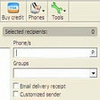
After a quick registration process, users receive login credentials to access the application. The main window is intuitively organized: on the left, users can compose new SMS messages and type recipient numbers, while the right panel functions as an inbox for incoming messages. This bifurcated layout makes it easy to keep track of ongoing conversations and crafted messages, reducing the need to switch between different sections.
Core Features and Functionality
The app assigns each user a unique, random number for receiving SMS. This number can be distributed just like any standard mobile number so contacts can reply, and messages will appear in the desktop inbox. For those who still want the flexibility of receiving texts on their regular mobile device, Virtual SMS Handset includes an option to forward incoming messages to a specified phone number.
Sending messages is a straightforward process. Users simply enter the recipient’s mobile number, draft their message, and click send. During testing, delivery speed was notably fast, with texts arriving at the recipient’s phone almost immediately. This prompt message delivery enhances productivity, especially for users managing multiple communications simultaneously.
Credit System and Pricing
The software provides 9 complimentary message credits upon registration, allowing new users to explore its capabilities. Once these are depleted, additional credits can be purchased with major payment cards. There is no mention of a subscription model, which may appeal to those who prefer pay-as-you-go services and want precise control over their spending.
Performance and Reliability
Throughout use, the application maintained stable performance with no observed crashes or delays. The message inbox updates in real-time, making it suitable for both routine and time-sensitive communication. However, as a desktop-only solution, it requires the user’s PC to be running and connected to the internet for message management and delivery.
Use Cases and Considerations
Virtual SMS Handset is useful for professionals who need to send bulk messages or applicants handling client communication from an office PC. It is also helpful for personal users who may desire the convenience of a full physical keyboard for longer conversations. Since each user receives a random phone number, those requiring continuity or the use of their personal number may need to consider workarounds or integrate other tools.
Pros
- Clean, easy-to-navigate interface
- Instant delivery of SMS messages
- Free credits for initial exploration
- Message forwarding to mobile phones
- Does not require a mobile device
Cons
- Requires credit purchase after initial free messages
- Random number may limit personal branding or identity continuity
- No support for message scheduling or advanced features
- Desktop-only access limits flexibility